Bugs/Features
This page summarizes the observed abnormal behaviours of studied frameworks during our experiments.
LangChain
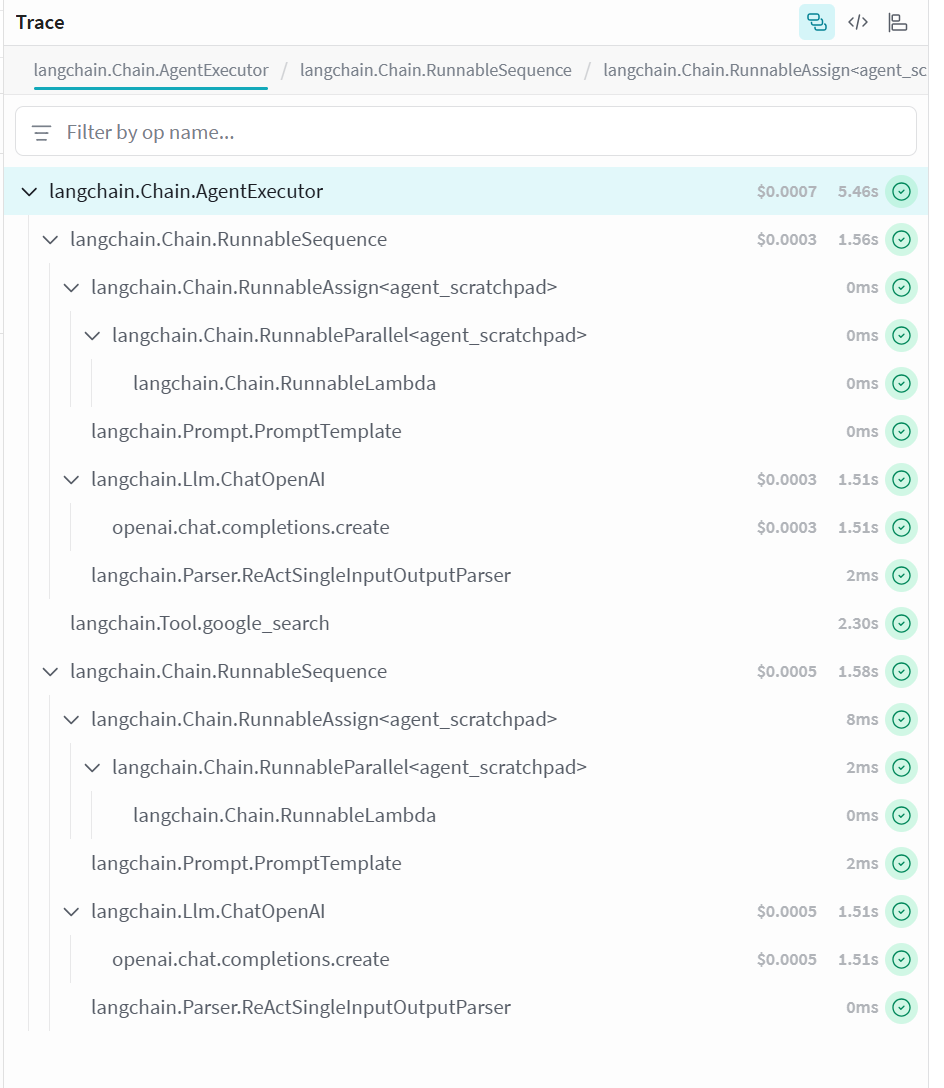
Figure 10. LangChain's high level of abstraction and encapsulation.
As shown in Figure 10, LangChain's high level of abstraction and encapsulation posed challenges in measuring specific metrics during our experiments.
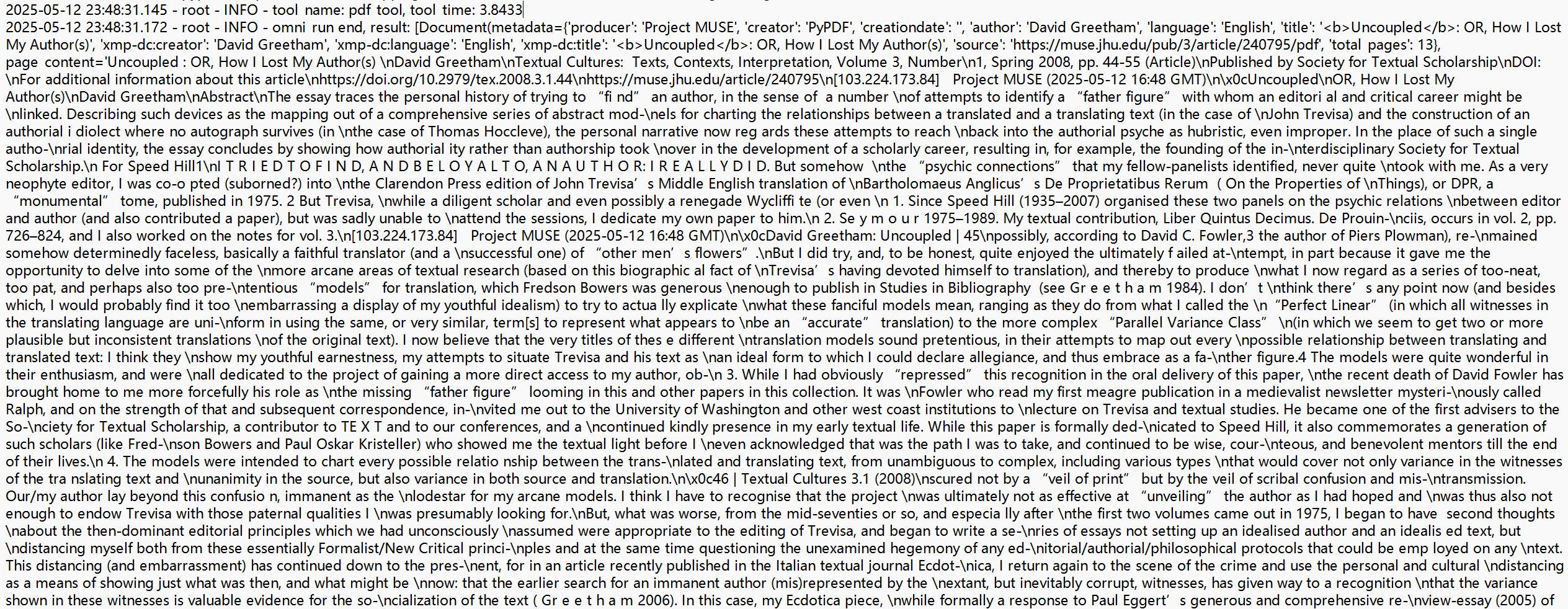
Figure 11. LangChain occasionally terminated processes prematurely.
Additionally, LangChain occasionally terminated processes prematurely after reading files from the GAIA dataset, returning the file content directly rather than proceeding with the expected operations (see Figure 11).
AutoGen
Due to the default system prompt being relatively long and containing irrelevant instructions, the RAG workflow may consume unnecessary tokens or produce unexpected errors (e.g., attempting to invoke non-existent tools). Therefore, it is necessary for users to customize the system prompt.
AgentScope
AgentScope’s image and audio processing tools internally rely on OpenAI models, causing their execution time to partially overlap with that of the LLM itself. This overlap can lead to inflated or inaccurate measurements of LLM processing time. Researchers and practitioners should be mindful of this issue when conducting time-based evaluations involving AgentScope.
Meanwhile, AgentScope's vector database module, LlamaIndexKnowledge, is implemented based on the BM25Retriever from the llamaindex library. However, the original implementation relies on an outdated version of llamaindex, and recent updates to the library introduced structural changes that break compatibility with the original import statements.
To ensure a consistent environment without modifying the framework’s built-in vector database logic, we resolved the issue by duplicating the LlamaIndexKnowledge module and updating the import paths to match the newer llamaindex version.
CrewAI
When our MOA invokes a large number of agents (>=12), CrewAI system occasionally fails to call all agents completely during execution as intended. For example, when we request 12 sub-agents to be activated, some queries may only trigger 9 or fewer agents.
Llamaindex
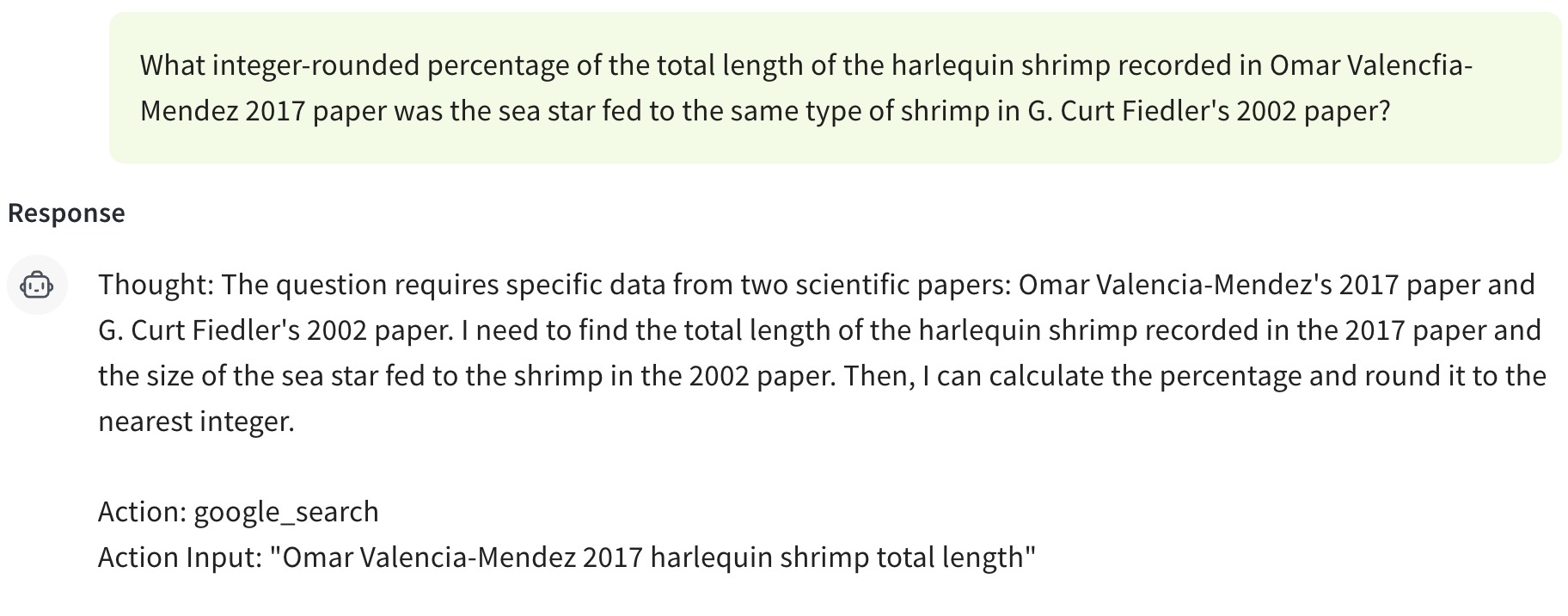
Figure 12. LlamaIndex frequently fails to invoke tools correctly.
LlamaIndex frequently fails to invoke tools correctly, primarily due to the lack of prompt constraints and insufficient post-processing checks on LLM outputs. Without explicit guidance and validation mechanisms, the LLM often produces outputs that do not conform to the expected dictionary format, resulting in tool invocation failures.
Phidata
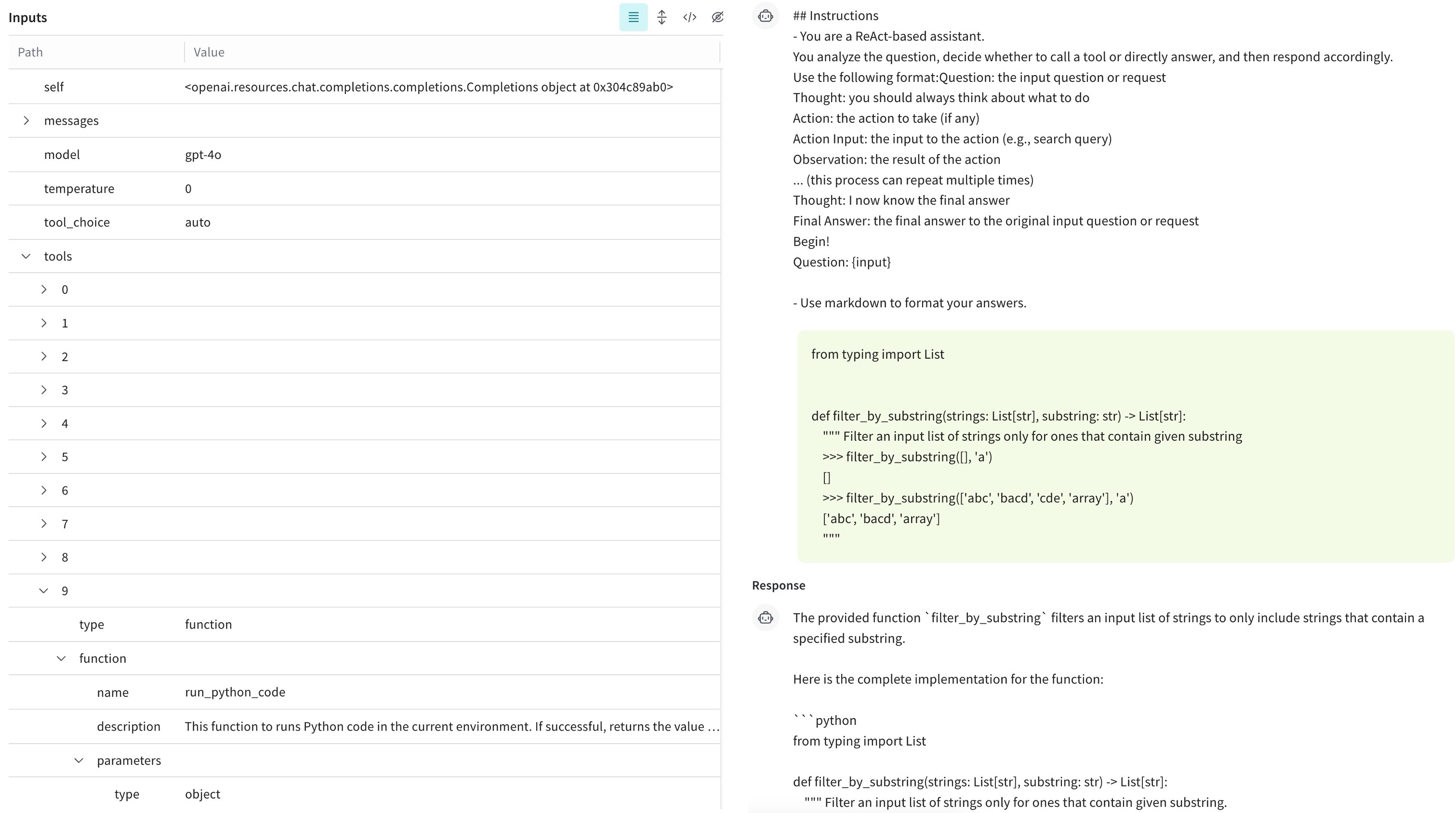
Figure 13. Phidata passes the available tools to the LLM via the "tools" field.
In the ReAct workflow, Phidata passes the available tools to the LLM via the "tools" field. Unlike Llamaindex, which emphasizes the functionality and usage of tools in the system prompt, Phidata rarely invokes the code execution tool when processing queries from humaneval.
PydanticAI
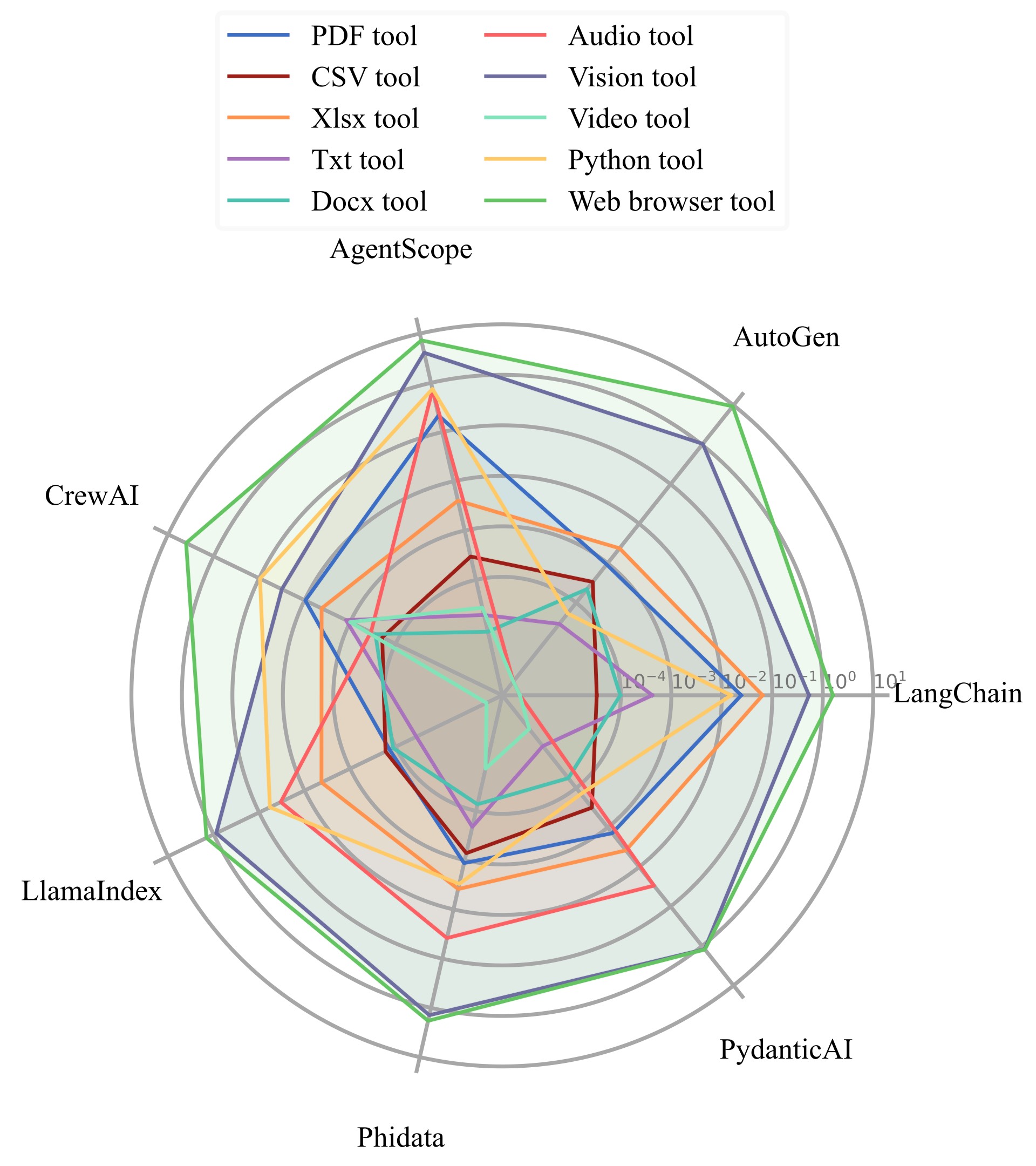
Figure 14. Visualization of the average execution time per run of different tools across different frameworks.

Figure 15. PydanticAI's simultaneous invocations of the same tool.
Within the Pydantic ReAct framework, we observed multiple simultaneous invocations of the same tool, which may lead to inefficiencies. Additionally, similar to Phidata, the code execution tool was seldom triggered.
Furthermore, the MoA implementation in the Pydantic framework is tool-based, and not all three models are invoked for every query. We observe that when the number of sub-agents is 3, 6, 9, 12, and 15, there were 232, 89, 229, 485, and 663 instances, respectively, where sub-agents were not invoked. These skipped invocations are randomly distributed across different queries, resulting in lower token consumption than expected.